SimplerChat is our top TimeTree alternative when a shared date still leaves you with all the planning. Ask its assistant to read an activity notice, create the event and add preparation tasks that family members can claim. The plan, its discussion and the work around it stay in the same family space.
Google Calendar is a strong choice for editable schedules across devices. iCloud Calendar suits groups using Apple Accounts. Cozi and FamilyWall add household lists and meal tools alongside the calendar.
Published by SimplerChat. We checked official documentation and SimplerChat's capabilities on September 28, 2026. This comparison reports documented capabilities, without side-by-side hands-on testing.
Which TimeTree alternative should you choose?
| Alternative | Main reason to switch | Free plan and paid limits |
|---|---|---|
| SimplerChat | Turn notices and conversations into events and shared jobs | All features free; daily assistant message limit; no ads |
| Google Calendar | Share calendars with individual view or edit permissions | Basic personal calendar sharing is free |
| iCloud Calendar | Coordinate with people already using Apple Accounts | Private sharing requires Apple Accounts and iCloud |
| Cozi | Keep household events, shopping and recipes together | Free with ads and a 30-day event-entry window; Gold removes ads and the entry limit |
| FamilyWall | Add messaging, meals and broader household tools | Free basics; calendar connections and meal planning require Premium |
Sources: Google sharing, Apple sharing, Cozi FAQ and plans, FamilyWall Premium, SimplerChat terms.
TimeTree's free calendar includes ads. Premium removes them and adds features such as file attachments, and each account buys its own subscription. SimplerChat is an appealing switch if you want an ad-free space with an assistant and all planning features included. TimeTree Premium
TimeTree already has separate calendar memberships, notification controls and an Event Scan feature for turning supported images into events. Its strengths still matter if scheduling is your only need. The SimplerChat reason to move is help with the decisions and jobs around those dates. TimeTree sharing, notifications, Event Scan
SimplerChat: organize the work around each event
A swim meet needs more than a start time: someone has to check the venue, pack the bag and plan dinner afterward. In SimplerChat, share the notice as a photo or PDF and ask the assistant to extract the details. Once you have checked them, ask for the event and a preparation task. Another adult can claim the task in the shared family chat. Service description
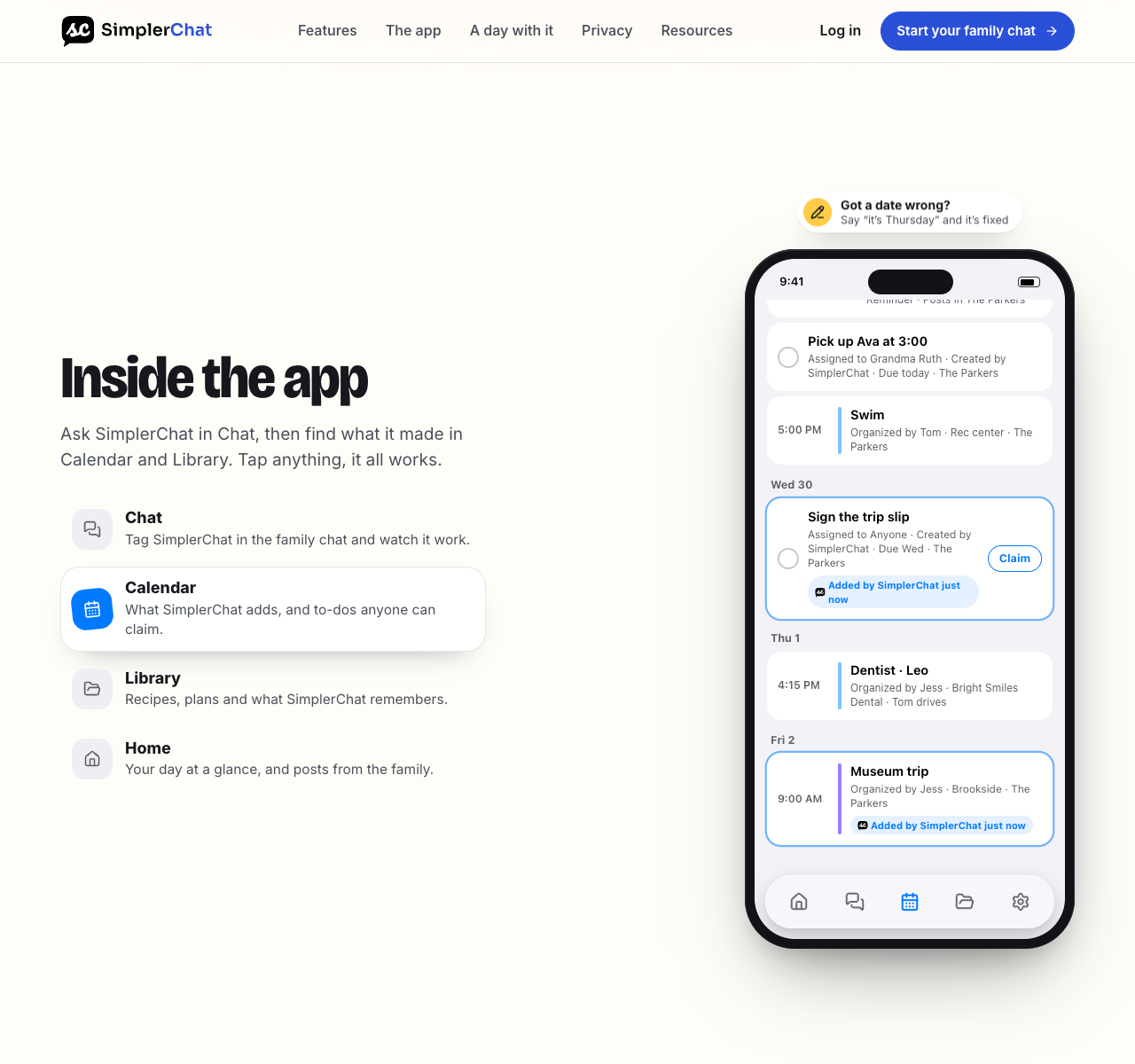
You can keep going in the same conversation: find a quick dinner recipe, ask for adjustments, save it to a meal plan and put its ingredients on a shared list. The assistant can update saved recipes and plans later. That makes SimplerChat useful when your calendar is only one part of coordinating the evening.
All features are free, with a daily limit on assistant messages. There are no ads, no feature paywalls and no sale of your data. Terms, privacy policy
Organize your next activity in SimplerChat. You can also explicitly ask for an event in a connected writable Google calendar; the app's own calendar is the default. Accounts are available in the US and Canada excluding Quebec for ages 13+, with guardian permission where required. Eligibility The migration steps below explain how to carry over existing TimeTree events.
Google Calendar for an editable schedule across phones
You can share a Google calendar with specific people and choose whether each person sees details, edits events or manages sharing. A Google family group also has a Family calendar that members can change. This is a practical destination when everyone is willing to use a Google account. Google Calendar sharing, Family calendar
Make a separate shared calendar for plans that affect the group. When entering an event, select that calendar explicitly; otherwise it can land on a personal calendar. Test a change as well as a new event. Google's Family calendar help says members do not receive notifications by default when someone else creates, edits or deletes an event, even though upcoming-event reminders are available. Tell people how urgent changes will reach them. Our iPhone and Android family calendar guide walks through a shared setup. Google Family calendar notifications
iCloud Calendar for a group using Apple Accounts
Apple lets an iCloud calendar owner invite people privately and give them editing or read-only access. Private invitees need an Apple Account and iCloud. A public calendar link can be viewed by others, but only its owner can edit it. That makes a public link a poor substitute for a member who must add pickup changes. Apple iCloud calendar sharing
If one contributor relies on Android, have that person try the real editing workflow before moving anything. Apple's iPhone sharing instructions are designed around iCloud users, and iCloud.com's Calendar requires a tablet or computer. Apple's iPhone guide, iCloud.com guide
Cozi for a household calendar with lists
Cozi combines a shared calendar with shopping and to-do lists and a recipe library. Its Gold plan adds a mobile month view, more reminders, search and calendar change notifications. Cozi now also offers Max, which documents email-to-event import and meal-planning tools. Cozi plans
Check two limits before settling on it. Cozi says its free calendar lets you enter events for the next 30 days; Gold allows unlimited future entry. Also, everyone included in one Cozi account can view and edit all of its data, using their own listed email address and a shared password. If you used TimeTree's separate calendar memberships to keep groups apart, map those access needs before trialing Cozi. Cozi FAQ
FamilyWall when scheduling connects to more household work
FamilyWall offers a shared calendar, shopping and to-do lists, messaging and private circles. Its Premium documentation lists meal planning, budget tracking, documents, enhanced location features and Google/Outlook calendar connections. One Premium subscription benefits the circle's members; the first five circles receive Premium when an account has more than one. FamilyWall overview, Premium features, circle scope
For a closer comparison of the household features, see Cozi vs FamilyWall. Test the calendar connection you expect to use. FamilyWall says an additional Google or Outlook calendar is not shared with circle members by default; you choose whom to share it with. FamilyWall calendar sharing
Can you export your TimeTree calendar?
TimeTree says events cannot be exported to another calendar. Plan to recreate the upcoming events you need. Before copying them, check whether they already exist in an outside calendar. TimeTree external-calendar guide
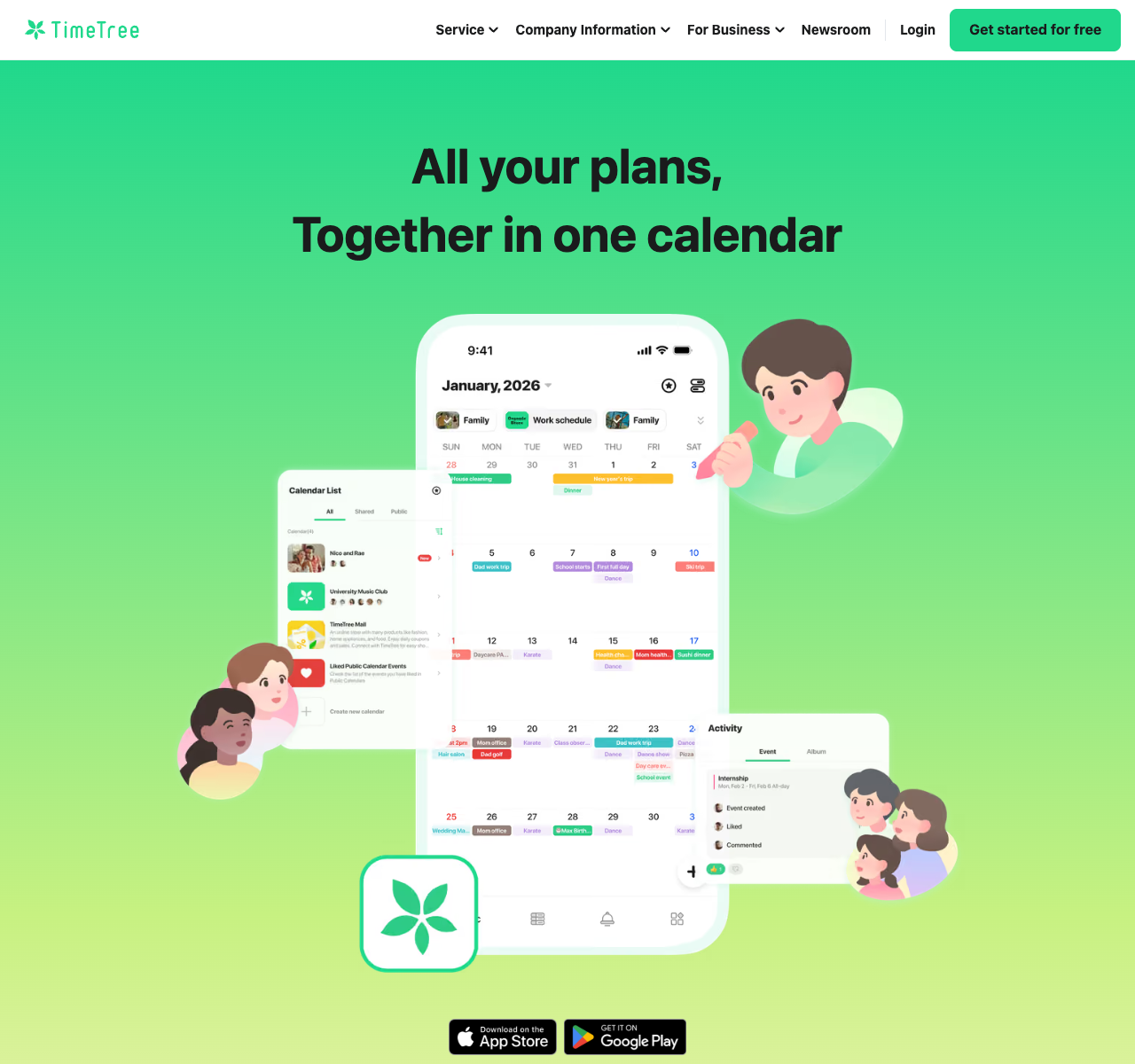
- External events displayed in Home Calendar remain in their original calendar and update there. That Home Calendar view is private; share the original calendar if others need access.
- External events imported into a shared TimeTree calendar are copies. Changes at the source do not update those copies, and importing again can create duplicates.
- Events created in TimeTree need recreating in the replacement calendar. Preserve important notes, comments, links and attachments separately.
TimeTree documents the distinction between private display and shared imports. It is worth checking the source once so you only rebuild what you need.
A manageable cutover for a full calendar
Choose a cutover date and write it in the old and new calendars. From that day onward, everyone enters new events in the replacement and uses TimeTree to check older commitments.
Before that date, go through each TimeTree shared calendar with its members. Rebuild upcoming appointments, school closures and travel first. Then add recurring events and inspect the next three occurrences, including any skipped week or changed time. Open events with comments, checklists, links, photos or Premium file attachments and copy what the new calendar needs. Keep a separate list of people who must be invited to each replacement calendar.
Finally, ask another member to add an event, move it by an hour and check their reminder on their own phone. Confirm the event appears once and in the correct calendar. Keep TimeTree available while you compare a normal week and one busy future month. When everyone knows where new plans belong, turn off duplicate alerts in the old setup. If your groups still use TimeTree's event discussion or separate memberships heavily, keeping it for those groups may be the better decision.
To try the chat-based workflow, open SimplerChat and bring one upcoming activity notice. Create its event and preparation task before deciding how much of your calendar to move.