SimplerChat is our leading Cozi alternative for families who want help doing the planning. Ask it to turn a school notice into an event and a task someone can claim, find dinner ideas, update a recipe and build the shopping list. The conversation and the resulting plans stay in your family's shared space. Every feature is free, with a daily assistant message limit and no ads.
For a calendar-focused replacement, choose TimeTree or Google Calendar with Keep. FamilyWall suits families who want a broad household organizer, while AnyList is a strong fit for groceries and recipes.
Published by SimplerChat. Recommendations draw on official product documentation and a review of SimplerChat's capabilities, checked September 28, 2026. This is a documentation-based comparison, without side-by-side hands-on testing.
Why switch from Cozi?
A good reason to switch is a recurring piece of work your current setup leaves with you: copying school dates, turning a dinner decision into groceries, or chasing someone to handle a task. Choose the alternative that takes on that work.
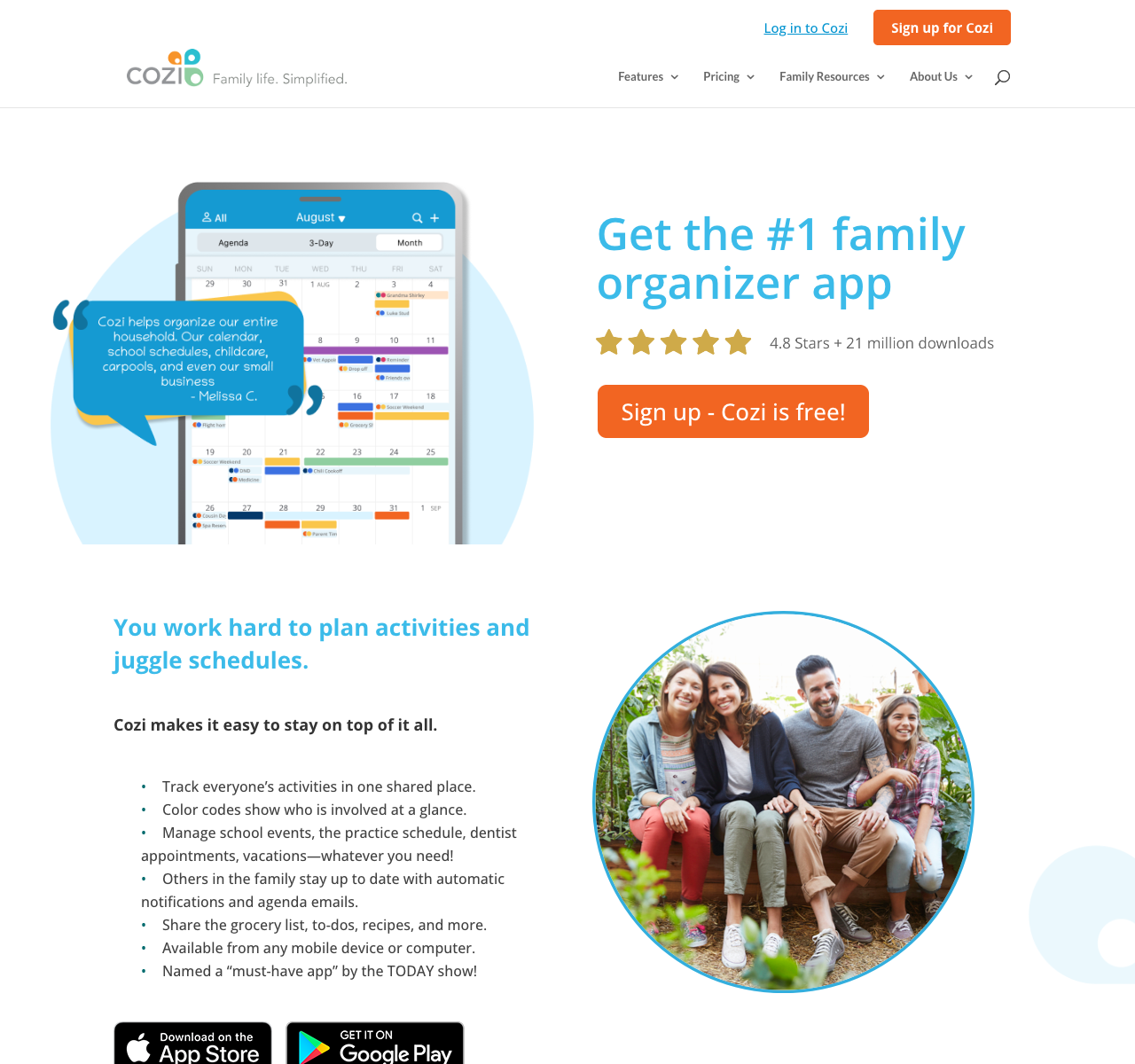
Cost and ads can also prompt a move. Cozi's free plan includes ads, which Gold removes. Its free calendar allows event entry for the next 30 days; Gold removes that limit and is listed at US$39 a year. Max adds email-to-event import, recipe generation and meal planning. Cozi's pages list Max at $79 and $79.99 annually, so check checkout if you are weighing an upgrade against switching. Cozi FAQ, plan comparison, Max
If your main frustration is doing the work around every event and meal, start with SimplerChat's shared assistant. If you mainly need a different calendar, the focused options below may be enough.
Five options, matched to your reason for switching
| Cozi alternative | Main reason to choose it | Free plan and paid limits |
|---|---|---|
| SimplerChat | Plan from messages and notices; find recipes and make shared lists | All features free; daily assistant message limit; no ads |
| Google Calendar + Keep | Share appointments and editable lists with Google accounts | Basic personal tools are free |
| TimeTree | Keep separate calendars for family, carpool and other groups | Free with ads; Premium removes ads and adds attachments, per account |
| FamilyWall | Bring calendars, messaging and household tools together | Free basics; meals and calendar connections require Premium |
| AnyList | Focus on grocery lists, recipes and meals | Free lists; meal planning and web access require Complete |
Sources: Google family groups, TimeTree Premium, FamilyWall plans, AnyList Complete, SimplerChat terms. Check your local checkout for paid features.
SimplerChat: less copying, more help with the week
Choose SimplerChat when keeping Cozi up to date feels like another household job. Its assistant can read an attached photo or PDF, help extract the details and create calendar events, reminders and to-dos. Family members can claim shared tasks, so a school trip can have both a date and someone responsible for packing lunch. Personal chats give you a separate place to work through plans before bringing them to the family. Service description
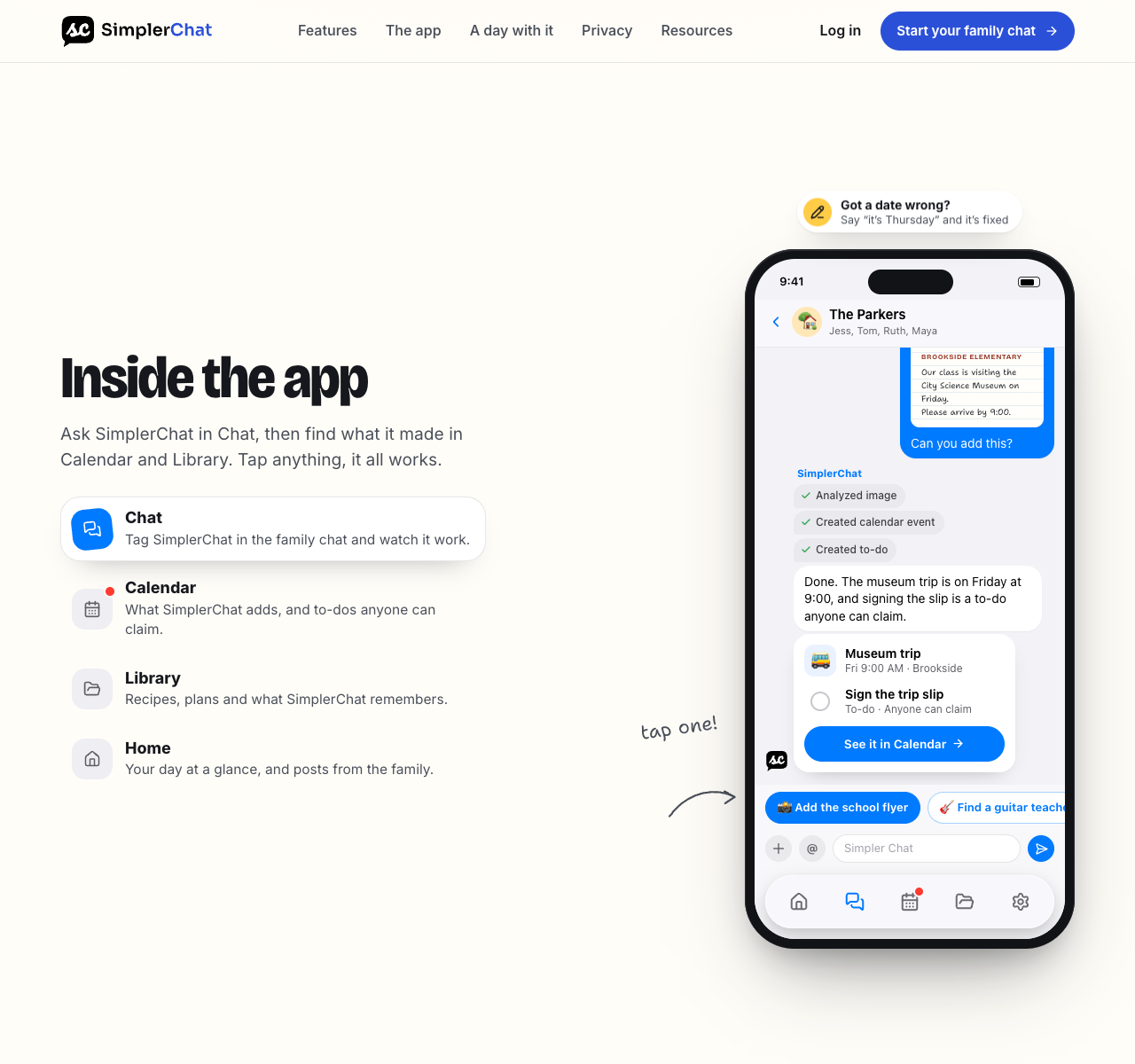
Meal planning starts with a question: “Find three quick dinners with chickpeas.” You can explore the recipes with the assistant, choose one, ask for changes, and save the ingredients and instructions. Add the recipe to a dated meal plan and ask for its ingredients on the shared shopping list. When a favorite needs adjusting, ask the assistant to update the saved recipe for next time.
That is the reason to switch: you can ask for the work to be done while your family discusses it. Cozi Max also offers AI planning tools; SimplerChat's appeal is the shared conversation connecting the notice, decision, task and list.
Try a school week in SimplerChat. Upload a notice, check the extracted date and location, and ask for the event plus a preparation task. Have another adult claim the task. If school messages are the main source of work, see our guide to keeping up with school emails.
Every feature is free, with a daily limit on assistant messages. SimplerChat never shows ads or sells your data. Terms, privacy policy Accounts are available in the US and Canada excluding Quebec, for ages 13+ with guardian permission where required. Eligibility There is no verified direct Cozi account transfer; use the switching steps below for your existing information.
Google Calendar and Keep: for a schedule and a shared list
Google's family calendar lets members add and change events. You can also share it with someone outside the Google family group, which is useful when a caregiver only needs calendar access. Keep supports notes that invited people can edit together. Family calendar help, Keep sharing help
This is a practical place to start if your family already uses Google accounts. Put appointments in one shared calendar and groceries in one shared Keep note. Decide where recipes will live before moving them.
Pay attention to alerts: Google says its family calendar does not send change notifications by default when another family member creates, edits or deletes an event. Include a changed pickup time in your trial. Google notification guidance
TimeTree: for separate calendars with different people
TimeTree supports multiple shared calendars and filters for viewing them. That structure can suit a household with a family schedule, a separate carpool group and an extended-family calendar. TimeTree's calendar overview
The free version includes basic calendar functions. Premium adds features including file attachments and an ad-free view. Its subscription belongs to an individual account, so calculate the cost for each person who wants Premium features. People on the free version can still view and download files attached by a Premium member. TimeTree Premium help
For a closer look at its sharing and export limits, read our TimeTree alternatives guide.
FamilyWall: for a broader household organizer
FamilyWall brings together a shared calendar, shopping and to-do lists, and messaging. Its Premium offering includes meal planning, budget tracking, location features and Google/Outlook calendar connections. FamilyWall overview, Premium features
It belongs on your shortlist if you use several parts of Cozi and want to keep those routines close together. Check which of your required features remain available after the Premium trial.
For each connected calendar, test an edit in both places and watch what happens. The word “sync” alone does not tell you which changes the integration supports.
AnyList: for groceries, recipes and dinner planning
AnyList provides shared shopping lists for free. Complete adds a meal-planning calendar, unlimited website recipe imports and desktop/web access; its published household price is US$14.99 a year. AnyList getting-started guide
Choose this route if the part of Cozi you open most often is the shopping list. You can pair it with the calendar your family already uses.
Try a normal grocery trip before moving your whole recipe collection. Add a quantity, change an item after someone leaves home, and check off purchases on a second phone. For recipes, start with three you cook often and compare ingredients, amounts and instructions against the originals.
How to switch from Cozi without losing the week's plans
Keep Cozi available while you try the replacement. Move one ordinary week and an event several months away, then check these with another adult:
- Schedule: dates, time zones, locations and the next few occurrences of repeating events, including cancellations.
- Reminders and access: the intended person can see the event and receives the alert.
- Shopping and meals: quantities, recipe instructions and source links are retained.
- Responsibilities: active tasks have a clear owner and deadline.
If you are deciding between the two traditional organizers, our Cozi vs FamilyWall comparison covers access, calendar connections and the documented Cozi import.
Decide whether you are viewing Cozi or moving away from it
Cozi documents calendar subscription feeds that display its events in another calendar. Those feeds are read-only. Subscribing lets you view the schedule elsewhere while Cozi remains the place where you maintain those events. Cozi integration instructions
To try this with Google Calendar, open Cozi's Settings → Shared Cozi Calendars, choose the people to include and copy the Cozi URL. On Google Calendar's website, use Other calendars → From URL to add it. Check the result before sharing it further. Cozi warns that Google may take up to 48 hours to reflect feed changes. Cozi-to-Google instructions
For a full move, confirm your chosen app's current import options and check the imported records individually. A calendar feed does not transfer your shopping lists, recipes or household routines. Copy those separately and keep the originals until you're satisfied.
Choose a cutover date
For example, a household could keep next week's commitments in Cozi, check the replacement over the weekend, then put all new plans in the new calendar from Monday. Label that date clearly for everyone. During the transition, review any events that changed after you copied them.
Avoid removing old reminders until you have verified their replacements. Once the new setup works, turn off duplicate alerts and tell family members which calendar to edit.
Canceling Gold is also separate from deleting the Cozi account. Cozi says canceling returns the account to its free version after the subscription term, with data retained. Cozi cancellation FAQ
Start your family plan in SimplerChat: add the next school notice, create its event and have someone claim the preparation task. Bring over the rest of your Cozi routine once that first week works for everyone.