SimplerChat is our top FamilyWall alternative for families who want help turning everyday messages into finished plans. Share a school notice, ask for the event and preparation tasks, then let someone claim the work. For dinner, find recipes together, adjust them to your preferences and turn the week's choices into a shared shopping list. Every feature is free, with a daily assistant message limit and no ads.
Cozi offers a familiar calendar-and-lists organizer. Google Calendar with Keep suits a lighter setup, TimeTree focuses on group schedules, and AnyList specializes in food planning. FamilyWall's location and budget features remain important reasons to keep it if you use them regularly.
Published by SimplerChat. We checked official documentation and SimplerChat's capabilities on September 28, 2026. These are editorial recommendations, without comparative hands-on or migration testing.
Which FamilyWall alternative fits your family?
The strongest reason to change apps is to make a recurring job easier. If FamilyWall holds your schedule but you still do the reading, planning and follow-up elsewhere, SimplerChat can bring that work into the family conversation. If you want fewer household features to manage, try a focused calendar or grocery app.
| Alternative | Choose it for | Free plan and paid limits |
|---|---|---|
| SimplerChat | Help researching meals and turning messages into shared plans | All features free; daily assistant message limit; no ads |
| Cozi | A family calendar with shopping, to-dos and recipes | Free with ads and a 30-day event-entry window; Gold removes ads and the entry limit |
| Google Calendar + Keep | Appointments and simple collaborative lists | Basic personal calendar and list tools are free |
| TimeTree | Separate schedules for family, carpool and clubs | Free with ads; attachments and ad removal require Premium |
| AnyList | Groceries, recipes and meal planning | Free lists; meal planning and web access require Complete |
Sources for the plan limits: Cozi plans and FAQ, TimeTree Premium, AnyList Complete, Google family groups, SimplerChat terms.
FamilyWall already supports private circles and a broad set of paid household tools. Its Premium Magic Import also creates events from forwarded emails and supported attachments. If event entry is your only complaint, compare that feature before moving; the bigger SimplerChat reason is help discussing, revising and carrying out the plan. FamilyWall circles, Premium tools, Magic Import
SimplerChat: turn the family conversation into a plan
A message about a school trip often creates several jobs: check the details, add the date, return a form and remember what to pack. In SimplerChat, share the notice as a photo or PDF and ask the assistant to help with those steps. It can create the event and shared to-dos after you check the details. Family members can claim the tasks, with the original discussion available in the same space. Service description
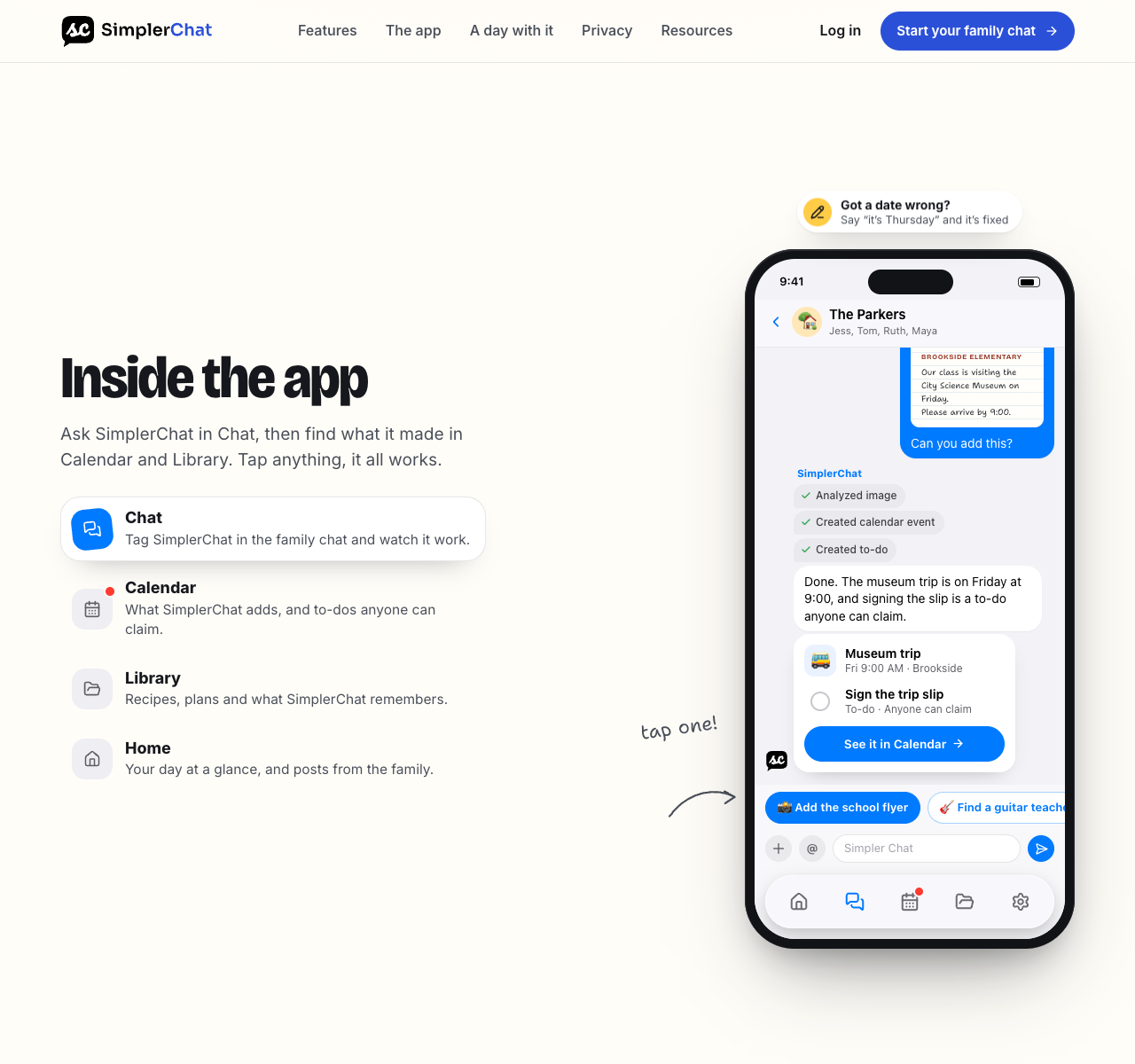
The same conversation can help answer “What are we eating this week?” Ask the assistant to find recipes, explore the options and adapt the one you choose. Save the recipe with its ingredients and instructions, put it in a dated meal plan, and add the ingredients to your shared list. You can update the saved recipe or move a meal when plans change.
The benefit is less work translating decisions into separate records. You can ask for the event, task, recipe or list while talking it through. That makes SimplerChat a compelling choice when family coordination takes more effort than entering appointments.
Plan your next busy evening in SimplerChat: add an activity notice, give the preparation job an owner, and choose dinner together. Our household workload checklist can help surface the jobs that need sharing.
SimplerChat includes every feature free, with a daily limit on assistant messages. It never shows ads or sells your data. Terms, privacy policy Accounts are available in the US and Canada excluding Quebec, for ages 13+ with guardian permission where required. Eligibility You will need other tools for location tracking and budgets, and there is no verified direct FamilyWall account import.
Cozi keeps the household calendar and lists together
Cozi's free plan includes ads alongside a shared calendar, shopping and to-do lists and a recipe library. Gold adds more calendar views, reminders and change notifications. Max now documents email-to-event import and meal-planning tools, so compare those if reducing entry work is your reason for moving. Cozi plan comparison
Cozi has a different access model from FamilyWall's private circles. Everyone included in a Cozi account can view and edit all its data, and members sign in with individual listed email addresses and one shared account password. Its free calendar also limits entry to the next 30 days; Gold allows unlimited future entry. Check those details with the people who will actually use it. Cozi FAQ
Google Calendar and Keep cover a lighter setup
Google Calendar lets you share a calendar with named people and grant viewing or editing rights. A Google family group also has a Family calendar that members can change. Keep lets invited people edit a shared note or list. Use a named calendar for appointments and a shared Keep list for groceries, then have another adult create an event and tick off an item from their own device. Google Calendar sharing, Family calendar, Keep sharing
Keep appointments in Calendar and groceries in Keep, then decide where the rest of your household information belongs. Google says its Family calendar does not send default notifications when another member creates, edits or deletes an event. Agree on how to flag a changed pickup time. Google Family calendar notifications
TimeTree separates scheduling groups
TimeTree gives each shared calendar its own members, so a family, carpool and club can keep different schedules. It offers event reminders and controls over which calendars send notifications. Its free plan includes basic calendars, while Premium adds an ad-free view, file attachments and other display features. Premium belongs to each subscribing account. TimeTree sharing, notifications, Premium
Consider it when calendar membership matters more than FamilyWall's other household tools. TimeTree's help center says it cannot export events to another calendar. Treat any switch into TimeTree as a calendar decision you may later need to unwind by copying events individually. TimeTree external-calendar guide
AnyList focuses on food planning
AnyList's free mobile app supports shared shopping lists. Its Complete plan adds a meal-planning calendar, unlimited recipe imports from websites and the ability to add planned recipe ingredients to a shopping list. The published household price is US$14.99 a year; confirm the current checkout price where you live. AnyList guide, Complete features
If food planning is the main reason for your switch, our AnyList alternatives comparison covers dedicated grocery and recipe apps. Try a normal grocery trip with a second shopper and enter three recipes you use often. AnyList's website import is designed for supported recipe sites; FamilyWall recipes you wrote yourself may need copying and checking by hand. Keep appointments in the shared calendar your family already checks.
Make a carry-over inventory before cancelling
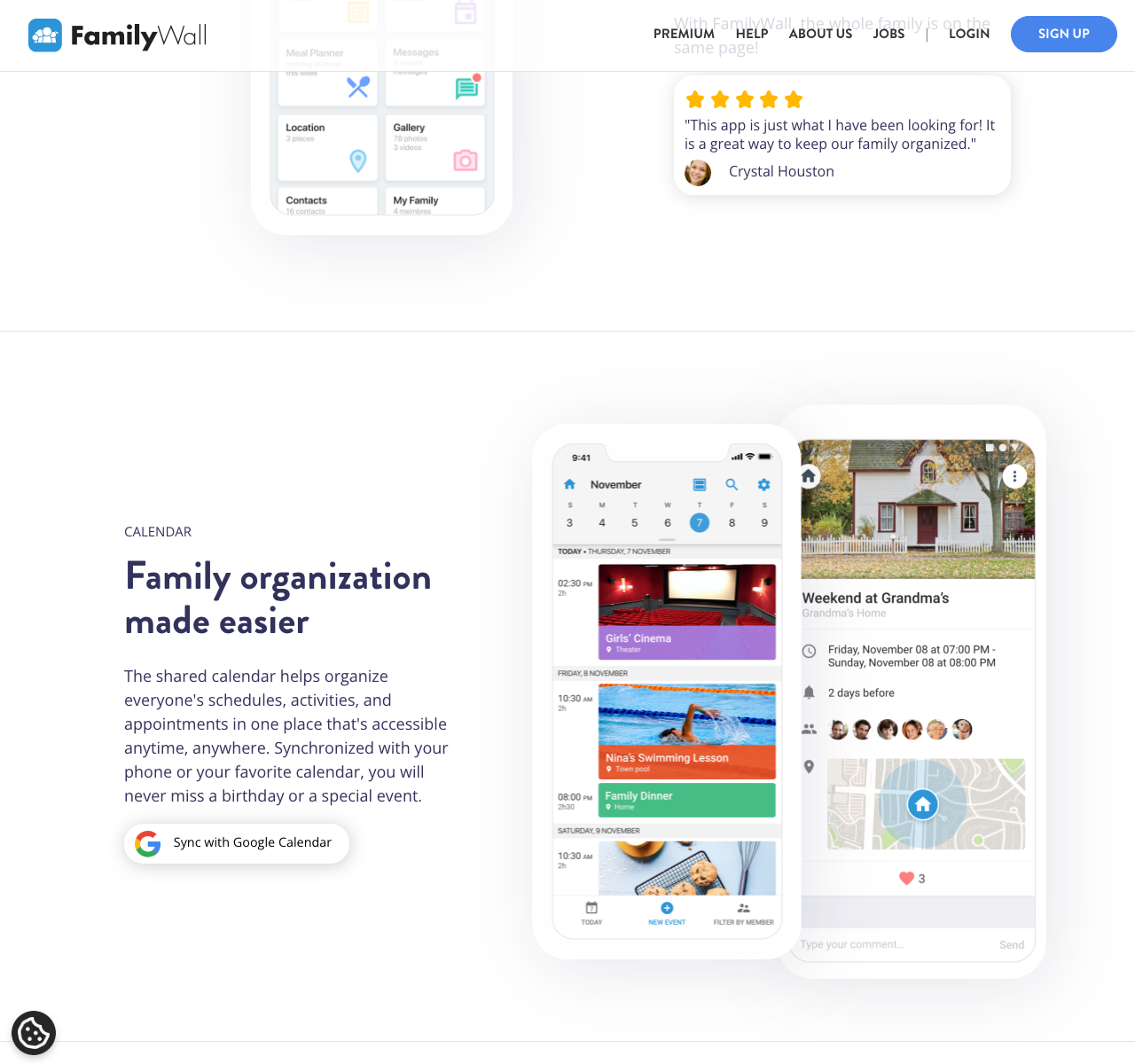
FamilyWall can generate an iCal URL so its calendar events appear in Google Calendar, Outlook or a compatible display. FamilyWall says this feed runs one way: edits in the receiving app do not change the FamilyWall event. It is useful for viewing during a transition. Make a separate plan for events that people must edit in the destination calendar. Share the URL only with intended recipients, since it exposes the calendar's events; reset or stop it in Calendar Details when that access is no longer needed. FamilyWall-to-Google instructions, one-way feed limits
Before changing subscriptions, give each of these a new home:
- Events and connected calendars. Preserve future dates, repeating exceptions and reminders. For Google or Outlook events, check the original calendar before copying anything. FamilyWall says connected calendars are not shared with circle members by default. Calendar sharing
- Lists, recipes and meal plans. Carry over active tasks, grocery quantities and your most-used recipes. Cook and shop from a week's plan in the new app.
- Files, budgets and location alerts. Save needed originals and budget history. Keep or replace any location service the family still wants. These need separate decisions from choosing a calendar.
- Circles and conversations. Invite the right people to each new shared space and preserve decisions you will need again.
The goal is a usable next week. Move older material according to how often you need it, and keep the originals until the replacement is checked.
Keep FamilyWall access until someone else has confirmed the replacement from their own device. If you decide to delete an account, FamilyWall says its associated personal data is permanently deleted. Cancel the subscription through the same purchase channel you used; FamilyWall specifically warns that deleting an account or uninstalling the iPhone app does not cancel an App Store subscription. Account deletion, cancellation instructions
Move your next family plan into SimplerChat. Bring one busy day into the chat and ask for help with its appointments, preparation and dinner.